
Artificial Intelligence
Bring Your AI In-House: How Local AI Powers Analytics, Research and Coding
Why running your own AI server is 2026's smartest infrastructure decision
For most businesses, "using AI" has meant one thing: renting it. You sign up to a cloud AI service, paste your prompts into someone else's model, and pay by the token. It works — until the invoice arrives, or until someone in compliance asks exactly where the company's sensitive data went overnight.
That approach made sense when capable AI required a hyperscale data centre behind it. It makes much less sense in 2026. Open-weight AI models — think Meta's Llama, Alibaba's Qwen, Mistral's family of models or NVIDIA's Nemotron — have closed most of the quality gap with the big cloud models. Meanwhile, the hardware needed to run them has moved from the server hall to the desktop: this year alone, Dell and Lenovo have launched workstations and servers purpose-built for running AI entirely on your own premises.
The result is one of the defining enterprise technology trends of 2026: local AI, sometimes called on-premises AI or private AI. It's the practice of setting up your own servers and workstations to run AI models locally — inside your office, behind your own firewall — for the workloads where control matters most: analytics, research and coding.
As Jeff Clarke, chief operating officer of Dell Technologies, put it when launching the company's deskside AI systems in May 2026:
“The most efficient token is the one produced closest to the data, and most enterprise data isn't in the cloud.”
— Jeff Clarke, Chief Operating Officer, Dell Technologies
In this guide we'll look at why local AI is gaining momentum so quickly, what it can realistically do for a UK or European business today, the software that makes it approachable, and the new hardware from Dell and Lenovo that has turned "run our own AI" from a research project into a purchasing decision.
- What "local AI" actually means
- Why local AI is trending in 2026
- Local AI for analytics, research and coding
- The software stack, made simple
- Hardware spotlight: Dell and Lenovo
- Sizing your first deployment
- How to get started
What "local AI" actually means
Local AI is simply AI that runs on hardware you control, using models you hold a copy of — with no third-party API in the loop.
There are three levels, and most organisations end up using all of them together:
1. On-device AI
Every modern business laptop and desktop now ships with a neural processing unit (NPU) — a small chip dedicated to AI workloads. It handles the everyday tasks: live meeting transcription, background noise removal, document summarisation on the machine itself. Lenovo's new ThinkPad X1 Carbon Gen 14, for example, pairs Intel Core Ultra processors with NPUs rated at up to 50 TOPS (trillions of operations per second) — enough for real-time transcription and light model work without any cloud involvement.
2. On-premises AI
A workstation or server in your office runs full-size language models for the whole team. Your prompts, your documents and your model responses never leave the building. This is the heart of the local AI trend, and where the new Dell and Lenovo hardware fits in.
3. Private AI (hybrid)
Some workloads stay local; genuinely enormous ones — say, training a foundation model from scratch — are rented in the cloud or from a colocation provider. Dell calls this the "deskside to data centre" model: develop and run agents locally, scale to a server rack when you need to. Lenovo's new personal AI agent, Qira, uses a similar privacy-first hybrid architecture by design.
The models themselves are the crucial ingredient. Open-weight models are AI models whose parameters — the billions of numbers that encode what the model knows — are published under licences that let you download and run them yourself. Some, like Llama and Mistral, impose light restrictions; others are fully open source. Either way, you can run them, fine-tune them on your own data and host them for your users, permanently, for the cost of the electricity.
Why local AI is trending in 2026
Four forces have converged to push local AI from hobbyist forums into boardrooms.
1. The economics have flipped
Cloud AI is billed by the token — every word you send in and every word that comes out costs money. That pricing was tolerable for chatbots. But 2026's killer apps are agentic: AI systems that plan, take actions, check results and try again. An agent doesn't make one model call; it makes dozens or hundreds per workflow.
Research by analyst firm Signal65, in partnership with Dell, found that agents consume four to fifteen times more tokens than chatbots for equivalent tasks. Multiply that across a team using AI daily and the monthly invoice stops being predictable — it stops being survivable.
Local inference changes the equation, because tokens generated on your own hardware cost only electricity. According to a validated analysis by Signal65 and Futurum Group commissioned by Dell, organisations running agentic workloads on Dell's deskside systems can break even against public cloud API costs in as little as three months, and reduce spend by up to 87% over two years compared with cloud APIs. Signal65's broader findings put token-cost reductions from local deployment at between 28% and 90%. Your mileage will vary — but the direction is unambiguous.
2. The quality gap has closed
A few years ago, open models trailed the frontier cloud models by a wide margin. Today the gap is narrow and shrinking — and businesses have noticed. Dell's own analysis of OpenRouter's model rankings suggests that more than half of all agentic AI traffic now runs on open-weight models. In other words, the models businesses actually trust for real work are increasingly the ones you're allowed to run yourself.
3. Privacy and data sovereignty have teeth
For UK and European businesses, this is often the decisive factor. GDPR, sector regulation and growing "sovereign AI" expectations from public-sector buyers all push in the same direction: sensitive personal data, client data and intellectual property should stay within your control.
When your AI runs on a server in your office, every contract, invoice, patient record, council document or source-code file you analyse stays on your network. There's no third-party data processor to assess, no cross-border transfer to document, no vendor whose breach becomes your breach. Local AI is, in effect, GDPR-compliant by architecture — no policy addendum required.
4. The hardware arrived
None of this mattered much while running a serious model required a data-centre budget. That changed in 2026. Dell and Lenovo — the two biggest names in enterprise PCs and servers — both launched hardware designed specifically to run AI locally: deskside machines that handle models with hundreds of billions of parameters, desktop towers that fine-tune models up to 70 billion parameters, and inferencing servers that serve an entire organisation. We cover them in detail below.
Local AI for analytics: your data finally stays home
Of the three workhorse use cases, analytics is where local AI delivers the most immediate value — because analytics is precisely the workload that involves data you can't afford to leak: customer records, transaction histories, pricing, supplier contracts.
The core pattern is called retrieval-augmented generation (RAG), and the concept is simple: instead of asking a cloud model about your business (which would mean shipping your data to it), you connect a local model to your own document store, database or data warehouse. The model reads your data, reasons over it and answers questions in plain English — while every byte stays inside your firewall.
In practice, UK and European businesses are using this for:
- Conversational reporting. "How did returns perform in Q2 across our northern depots?" asked in plain English, answered from your own systems — no dashboard training required.
- Forecasting and demand planning. Local models sit on top of sales and inventory data to produce demand forecasts that would previously have required sending commercially sensitive figures to an external analytics vendor.
- Document intelligence. Extracting line items, dates and entities from invoices, shipping documents, contracts and claims — the unglamorous work that consumes thousands of administrative hours a year.
- Regulatory review. Screening policies, communications and case files against regulatory requirements without confidential material ever leaving the network. This is a natural fit for FCA-aware fintech teams and public-sector organisations alike.
At MazeQube, this is familiar territory: we build exactly these kinds of data pipelines for our clients — for example, our work with a US association of around 120 chambers of commerce, extracting CRM data, running analytics over it and turning the results into revenue insights. Adding a local model layer over that kind of pipeline is now one of the most requested upgrades we see, because it lets teams interrogate the data conversationally while keeping it entirely in-house.
The productivity gain is real, but for most of our clients the *decision* to go local is about risk: analytics on your most sensitive data simply cannot involve a third party you haven't vetted. Local AI removes the question.
Local AI for research: a tireless, discreet analyst
Research work — market analysis, due diligence, literature review, competitive intelligence, policy analysis — involves reading enormous volumes of material and synthesising it into something a human can act on. It's exactly what language models excel at, and exactly the kind of work that often involves confidential or pre-publication material.
With a local AI server, a research team can:
- Summarise and cross-reference large archives — thousands of pages of reports, filings, transcripts or academic literature — with the results and the source material remaining on-premises.
- Build a private knowledge base. Instead of pasting excerpts into an external chatbot, researchers index the full corpus locally and ask questions against it. Every citation is traceable to a document the organisation controls.
- Run research agents. A single instruction — "pull out every contract clause relating to liability across this archive and rank them by risk" — can drive an agent that works through the corpus methodically, escalating only the genuinely ambiguous items to a human.
- Work multilingually. Modern open models handle dozens of languages to a high standard, so European teams can analyse source material in one language and report in another without a third-party service in the middle.
This matters doubly in regulated and sensitive contexts. A government body analysing citizen correspondence, a law firm reviewing client documents, a pharmaceutical team working on pre-patent research — none of these workloads should be routed through a public AI endpoint in another jurisdiction. NVIDIA explicitly designed its new agentic model stack for these "high-volume specialized tasks" — its recently released Nemotron 3.5 Lightning, a compact open model, is aimed at work like triaging cybersecurity alerts, monitoring financial risk signals and resolving inventory exceptions, and can be post-trained on an organisation's own domain data so its answers improve over time.

Local AI for coding: the security argument wins
Software teams were the earliest mass adopters of AI coding assistants, and they were also the first to hit the awkward question: is it acceptable to paste our proprietary source code into a third-party cloud service? For many organisations — defence contractors, fintechs, public-sector suppliers, anyone with valuable IP — the honest answer has been no.
Local AI resolves the tension. A coding model running on your own workstation can see your entire codebase — every proprietary algorithm, every customer integration, every security-sensitive line — because it never leaves the building. That unlocks:
- Full-context code completion and generation, with the model trained on your repository's conventions, naming and architecture.
- Code review assistance that can flag inconsistencies, suggest refactors and explain unfamiliar legacy modules — privately.
- Test generation and documentation writing across large codebases, the tasks developers most love to delegate.
- Agentic development workflows. The newest local stacks — such as the NVIDIA NemoClaw framework shipping on Dell's deskside systems — run persistent coding agents that can take a ticket, implement a change across several files, run the tests and prepare a pull request, all on local hardware.
As a software house ourselves, this is the use case MazeQube lives daily. Local coding assistants have measurably accelerated our own delivery — and because the model runs inside our infrastructure, we can use it on client projects without a single line of client code touching an external service. For our UK and European clients, that guarantee is becoming a contractual expectation, not a nice-to-have.
The software stack, made simple
One reason local AI is spreading beyond specialist teams is that the software has become remarkably approachable. You don't need to be a machine-learning engineer to run a model well — the tools below wrap the complexity in a few clicks or a single command.
For getting started
- Ollama — install it on any PC, Mac or server, and running a state-of-the-art open model takes one line of text. The de facto standard for local experimentation.
- LM Studio — a friendly desktop application for browsing, downloading and chatting with open models. Ideal for non-technical evaluators.
- Open WebUI — gives your team a clean, ChatGPT-style web interface connected to your own local models, with user accounts and document upload.
For production
- vLLM and llama.cpp — high-performance inference engines that squeeze the maximum throughput out of your GPUs, used to serve models to many users at once.
- Fine-tuning tools — techniques such as LoRA let you adapt a model to your domain (legal language, marine terminology, your product catalogue) without a data centre, and some new workstations — like Lenovo's ThinkCentre X Tower, below — ship with software that makes this a guided process rather than a research exercise.
The models themselves — Llama, Qwen, Mistral, DeepSeek, Gemma, Nemotron and others — are typically downloaded as quantised versions: compressed copies that fit into less memory with minimal quality loss. This is what makes the maths work on desktop hardware: a "4-bit quantised" model can be four or more times smaller than the original, meaning a model that would once have needed a server rack can run on a single high-end GPU.
The point to take away: the tooling layer is mature. The genuinely bespoke part — wiring a model into *your* systems, data and workflows securely — is software engineering, and that's where a development partner earns their keep.
Hardware spotlight: the OEM arms race to own local AI
The most striking evidence that local AI has gone mainstream is that the world's two largest enterprise PC and server vendors have both reorganised their flagship product lines around it — in the same year.
Dell: Deskside Agentic AI, from 30 billion to a trillion parameters
At Dell Technologies World in May 2026, Dell launched Dell Deskside Agentic AI — a complete, production-ready platform for running AI agents locally, and expanded it through the summer with a new generation of NVIDIA models. It's built as part of the Dell AI Factory with NVIDIA, so what starts at a desk can scale to a data-centre rack on the same software foundation.
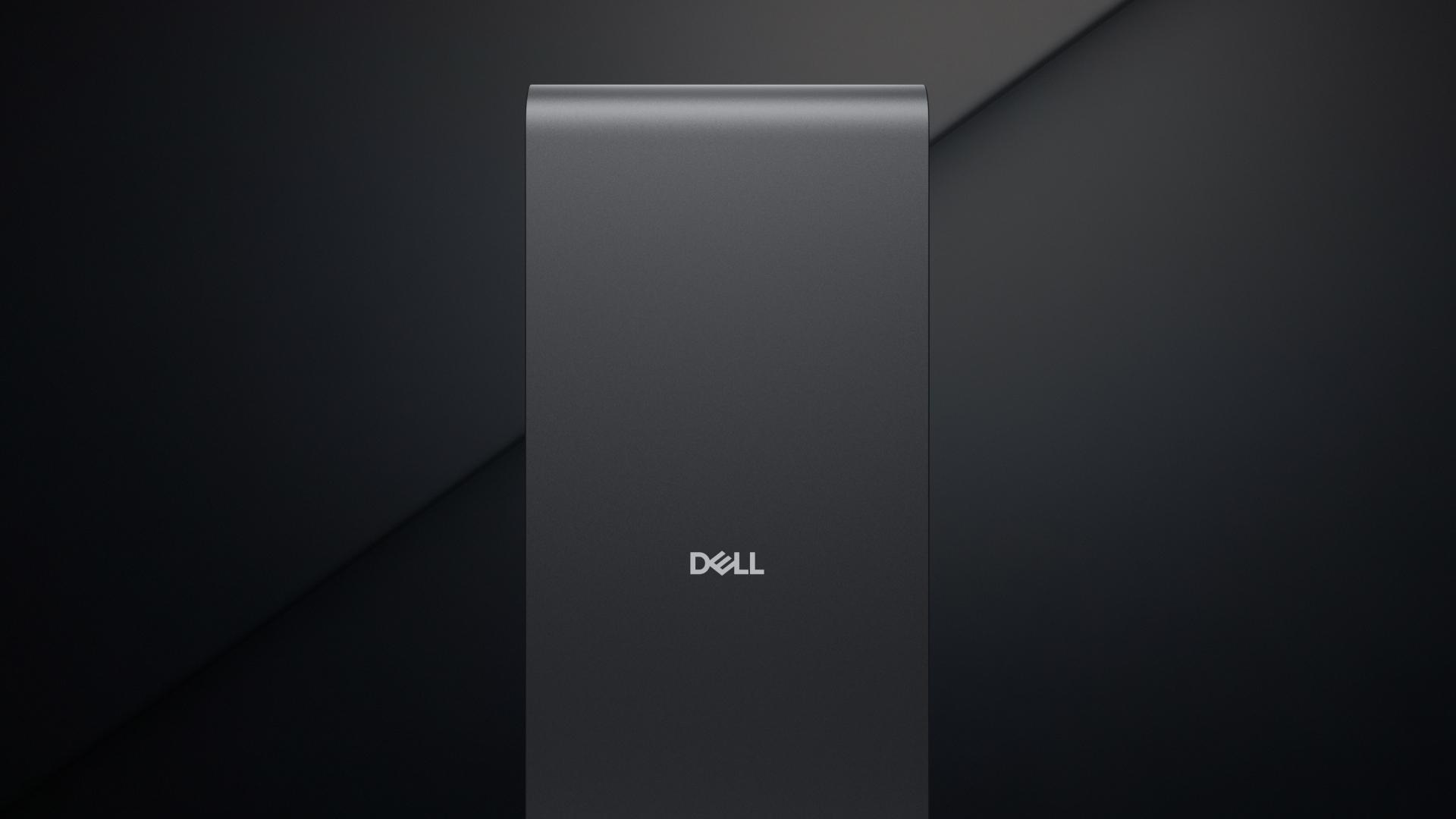
The lineup is deliberately tiered by model size:
- Dell Pro Max with GB10 — a compact deskside accelerator powered by NVIDIA's Grace Blackwell GB10 Superchip, designed for individual agent prototyping and smaller workflows, supporting models from 30 billion to 200 billion parameters. Multiple GB10 units can even be clustered into a virtual compute cluster as needs grow.
- Dell Pro Max T2 and Dell Pro Precision 9 towers — enterprise workstations with Intel Xeon 600 processors and configurations of up to five NVIDIA RTX PRO Blackwell workstation GPUs, covering workhorse workloads from 30 billion to 500 billion parameters.
- Dell Pro Max with GB300 — the flagship deskside system, built around NVIDIA's GB300 Grace Blackwell Ultra Desktop Superchip with Dell's exclusive MaxCool thermal technology. It is purpose-built to run frontier-scale models of up to a trillion parameters — at a desk.
Just as important is the software: the NVIDIA NemoClaw reference stack (built on the open-source OpenClaw agentic framework) provides pre-integrated open models for reasoning and coding, secure sandboxed agent management through NVIDIA OpenShell, and the NVIDIA AI-Q 2.0 blueprint for orchestrating multi-agent workflows. In August 2026 Dell added Nemotron 3.5 Lightning and NeMo Switchyard — an open-source router that automatically sends each step of an agent's work to the most cost-effective model available. The philosophy is elegant: expensive frontier intelligence only where it's needed, efficient local models everywhere else.
Everything above is available now, and Dell backs the economics with those validated Signal65/Futurum figures: break-even against cloud APIs in as little as three months, and up to 87% lower spend over two years.
Lenovo: fine-tuning on your desk, and AI for every office
Lenovo's assault on local AI began at CES 2026 in January, and it takes a different, complementary angle: making serious local AI available to small and mid-sized businesses, not just enterprises with AI research teams.
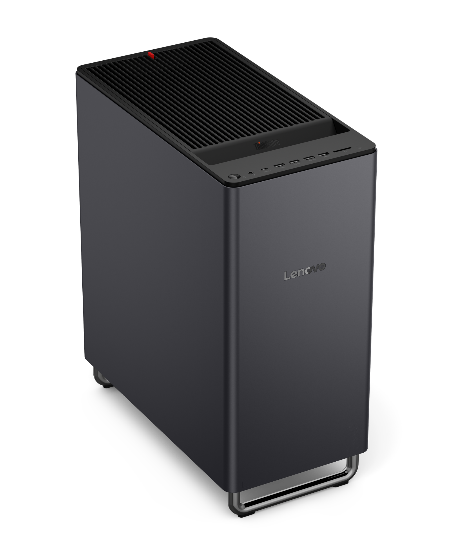
The headline product is the ThinkCentre X Tower, a premium desktop designed for AI and data-intensive work:
- Up to an NVIDIA GeForce RTX 5090 with 32GB of VRAM (or dual RTX 5060 Ti GPUs) and up to 256GB of DDR5 memory — the raw ingredients for running large models locally.
- Lenovo's AI Fusion Solution — software that enables local post-training fine-tuning of models up to 70 billion parameters. In plain terms: a business can specialise an open model to its own domain, on its own desk, without any data leaving the building.
- A 34-litre chassis engineered for airflow and quiet cooling (including a biomimetic fan design), and an official Ubuntu 24.04 option — a strong signal that Lenovo expects Linux-savvy engineers to run self-hosted AI stacks on it.
Around the tower sits a broader local-AI ecosystem. Lenovo's SMB Vertical AI Solution bundles on-device meeting transcription, multilingual captioning and AI-assisted video generation — all processed locally for privacy. ThinkStation workstations and the ThinkCentre X AIO extend the range. And at NVIDIA GTC 2026, Lenovo rounded out the top end with new ThinkSystem and ThinkEdge inferencing servers, aimed at organisations that want an AI server room rather than an AI desktop — part of the company's AI Cloud Gigafactory partnership with NVIDIA.
The through-line of Lenovo's strategy is "Smarter AI for All": local AI as a standard feature of business computing, with its new Qira personal AI agent (rolling out across Lenovo and Motorola devices through 2026) designed on the same privacy-first hybrid principle — work locally where possible, use the cloud only where it makes sense.
Sizing your first local AI deployment
Hardware conversations get abstract quickly, so here's a practical view of how the tiers stack up. The right starting point depends on model size — and model size depends on use case: a coding assistant or document analyser works superbly with a mid-size model, while deep research reasoning benefits from the largest models you can host.
| Tier | Example hardware | Typical model capability | Best suited to |
|---|---|---|---|
| Pro laptop / NPU PC | ThinkPad X1 Carbon Gen 14, Copilot+ PCs | Small models (7–14B), on-device transcription, summarisation | Individuals; everyday AI assistance |
| AI desktop tower | Lenovo ThinkCentre X Tower (RTX 5090, 256GB RAM) | Run large models; fine-tune up to 70B parameters locally | Small teams, pilots, sensitive everyday workloads |
| Deskside accelerator | Dell Pro Max with GB10 (30B–200B) | Full agentic workflows at the desk | Departments building AI agents |
| Multi-GPU workstation | Dell Pro Precision 9 (up to 5× RTX PRO Blackwell) | 30B–500B parameter models | Workgroups with heavy, continuous use |
| Deskside superchip | Dell Pro Max with GB300 | 120B up to 1-trillion-parameter models | Frontier-scale inference, agent fleets |
| Rack server / private cloud | Dell PowerEdge XE, Lenovo ThinkSystem | Org-wide, multi-user production serving | Enterprise-wide deployment |
Costs scale accordingly — from the price of a well-specified business PC at the first tier, to five figures for deskside superchips and servers. Set against per-token cloud spending that compounds with every agent and every user, the total cost of ownership case usually lands in favour of local within the first year or two of serious use — the period over which Dell's commissioned analysis found organisations can break even in as little as three months.
Getting started: a four-step plan that avoids the usual traps
Local AI projects succeed when they're treated like any other business system — with a use case, an owner and a measure — rather than an experiment bolted onto the side of the business. Our recommended path:
- Pick one high-value, high-sensitivity use case. The best first candidates combine visible cost savings with obvious privacy benefits — think document processing, internal reporting or a coding assistant for your development team. One workflow, measured properly, builds the internal case for everything that follows.
- Match the hardware to the model size you actually need. Most organisations are surprised how far a single modern workstation goes. Start at the tier that covers today's use case with headroom, and design for the deskside-to-server growth path from day one — it's one of the main arguments for the Dell and Lenovo platforms above, whose shared software stacks are built to scale.
- Connect the model to your data — carefully. The magic of local AI isn't the model; it's the integration. Index your documents, pipe in your databases, and wrap it in the same access controls you'd apply to the underlying data. (Local AI is not an excuse to abandon least-privilege: the model should see only what the person asking is allowed to see.)
- Measure, then scale. Track hours saved, documents processed, and quality against your baseline. When the pilot proves out — typically within a quarter — extend to adjacent workflows and connect the stack into your production systems with proper monitoring and support.
One warning from experience: the hardware is the easy part. The projects that stall are the ones without the engineering capacity to integrate the model into real business systems. That's exactly the kind of work MazeQube does every day.
How MazeQube can help
Local AI is a software problem wearing a hardware costume. Buying a workstation is a purchase order; turning it into an analytics engine, a research assistant or a coding partner for your team is software engineering — pipelines, integrations, security and support.
That's where we come in. MazeQube has been building custom software, data pipelines and business automation for UK and European businesses since 2016, and our AI practice covers precisely the work local AI demands:
- AI solutions and integrations — connecting local models to your existing systems, documents and databases, GDPR-compliant by design.
- [AI agents](/ai-more) — business agents that answer customer queries, process documents and automate operational workflows around the clock, running on infrastructure you control.
- [Custom software and platform engineering](/services/custom-software-development) — from workflow automation to full enterprise platforms, with the 24/7 monitoring and global support team behind them.
If you're evaluating local AI for your organisation — whether you've already picked the hardware or are still weighing cloud against on-premises — we'll happily talk you through the realistic options, costs and pitfalls, with no obligation.
Talk to us about your local AI roadmap
Free, no-obligation consultation with a team that builds these systems for a living.
The pendulum won't swing back
Every platform shift follows the same arc: capability arrives first in giant shared utilities, then commoditises until businesses can run it themselves. Mainframes gave way to departmental servers; cloud services gave way to hybrid cloud. AI is now following the same path — the open models are ready, the tooling is friendly, and in 2026 Dell and Lenovo have made the hardware a catalogue item.
The businesses that move first won't just cut their AI bills. They'll build institutional knowledge — private, domain-tuned models and integrated agent workflows that competitors renting AI by the token simply can't replicate.
Own your data. Own your costs. Bring your AI in-house.
Cost-saving figures cited in this article come from analysis by Signal65 and Futurum Group commissioned by Dell ("The Economics of Agentic AI: On-premises Deployments with Dell AI Factory vs. Cloud", May 2026); individual results will vary. Model-size capabilities are vendor-stated and may depend on configuration.